
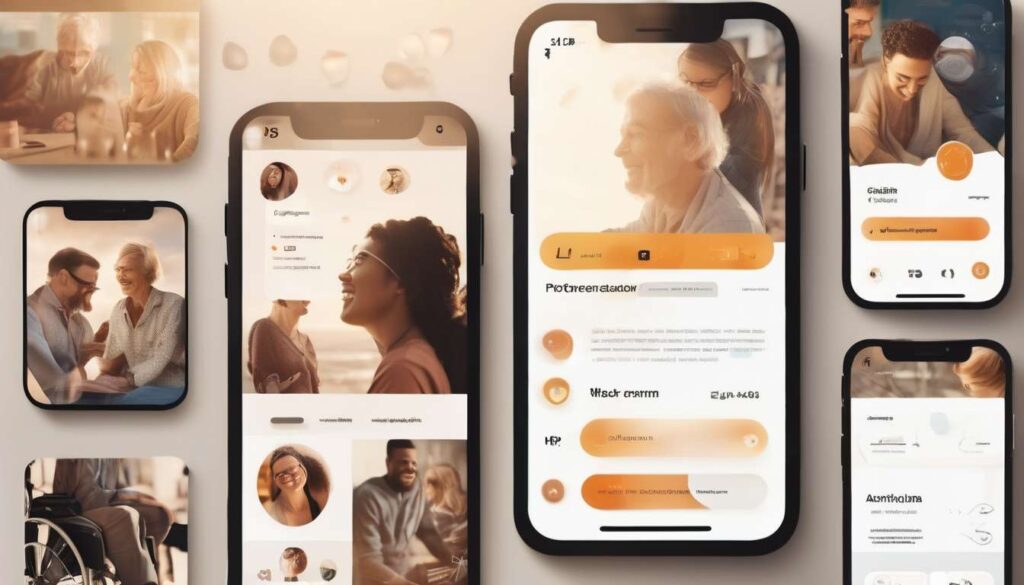
Sometimes progress means doing the unexpected: we must design adult dating services that prioritize accessibility over aesthetic novelty.
We believe usability and inclusivity are foundational principles, not optional features. They reshape how people meet, connect, and consent.
As designers, operators, and advocates, we have seen interfaces that exclude users through poor contrast, opaque navigation, or neglect of assistive technologies — and we know better routes exist.
By centering people with diverse abilities, cognitive styles, and communication needs, we create safer spaces that increase participation, reduce misunderstandings, and foster genuine connections.
This shift challenges industry assumptions that sleek visuals trump substantive access, and it demands practical changes:
- Clear language
- Adaptable layouts
- Captioned media
- Privacy controls designed for varied needs
In this article we outline actionable updates, share evidence of impact, and argue that accessibility-forward design is superior product strategy. It expands markets and honors human dignity.
Why Accessibility Matters
Principle: Inclusive design is essential, not optional.
We design adult dating services so people with disabilities can use them easily, safely, and with dignity. Inclusive design is central to creating spaces where everyone feels they belong.
Accessible interfaces that work with assistive technology
- Build interfaces that are compatible with screen readers, voice control, switch devices, and other assistive technologies.
- Prioritize clear labels, proper heading structure, and semantic markup so content is discoverable and meaningful.
- Ensure keyboard navigation across profiles, messages, and consent tools without extra effort.
Adaptable layouts and interaction models
- Provide flexible layouts, scalable text, high-contrast themes, and adjustable spacing.
- Offer alternative input methods (voice, text, switch, gestures) and multiple ways to perform core actions.
- Make multimedia (images, video, audio) accessible through captions, transcripts, and descriptive alt text.
Privacy, consent, and autonomy as safety foundations
- Give users robust privacy controls over what’s shared and who can contact them.
- Make consent tools explicit, discoverable, and easy to change.
- Include granular blocking, reporting, and interaction-limiting features to protect comfort and safety.
Intentional accommodation reduces stigma and expands opportunity
We intentionally accommodate different bodies, senses, and comfort levels to expand the pool of potential partners and foster more authentic interactions. Designing this way reduces stigma, invites participation, and signals respect.
Measure success with meaningful metrics and user feedback
- Track engagement and retention specifically for users with disabilities.
- Collect direct feedback through accessible surveys, interviews, and participatory design sessions.
- Iterate based on outcomes to ensure improvements are meaningful and sustained.
Commitment
We prioritize accessibility, privacy, and dignity across product, design, and community policies so people with disabilities can participate fully and confidently in adult dating services.
Inclusive Onboarding Flows
We’ll craft onboarding that greets diverse abilities, makes options explicit, and gets users set up quickly without forcing unnecessary steps.
We introduce choices early — preferred name, pronouns, communication modality — so people feel seen from the first screen.
Our flows follow inclusive design principles: clear labels, predictable progression, and minimal cognitive load.
We support assistive technology by ensuring semantic markup, keyboard navigation, and screen reader–friendly prompts.
We offer alternate paths users can choose from:
- Guided tour.
- Quick setup.
- Privacy-first setup — for people who want minimal sharing.
Each path highlights privacy controls alongside profile options so users decide what’s public, hidden, or shared with matches.
We test with a diverse group and iterate on real feedback, keeping language straightforward and tone welcoming.
By making onboarding adaptable, respectful, and efficient, we help everyone join the community with confidence and control over their experience.
Clear Content and Language
We keep language simple, direct, and consistent so everyone can understand prompts, labels, and instructions without guessing.
We use plain terms and familiar phrasing so new members feel welcome and included, and we avoid jargon that can isolate people.
We explain features like profile visibility and privacy controls in stepwise lines, so folks can make informed choices without frustration.
We craft microcopy that respects identity and consent, offering optional clarifications and examples that normalize varied experiences.
- Label buttons and status messages clearly.
- Use a consistent tone to build trust.
- Flag sensitive content with upfront warnings and provide clear choices that balance safety and autonomy.
We test copy with people who use assistive technology to ensure content reads logically and navigates cleanly, and we iterate when misunderstandings arise.
We tie our writing back to inclusive design principles: accessible language is part of creating belonging.
Clear content reduces barriers, increases participation, and shows that everyone’s presence and preferences matter here.
Assistive Technology Compatibility
We make our platform work seamlessly with screen readers, voice control, and other assistive tools so everyone can navigate, interact, and communicate without barriers.
We test with popular assistive technology and real users to ensure profiles, messages, and settings are accessible and meaningful.
Our inclusive design practices ensure form fields are labeled, controls are reachable, and focus order follows conversation flow so people feel confident and connected.
We fine-tune feedback tones, semantic headings, and alt text so members with varied needs can express themselves authentically.
We offer clear, accessible privacy controls so users can manage who sees their profile and content without extra effort.
We document compatibility and provide easy-to-follow guides and support channels because inclusion thrives when people can use features independently.
By centering assistive technology in development, we reduce friction, protect dignity, and create a dating space where everyone can participate fully and safely.
Flexible Interaction Options
Multiple interaction modalities
We offer multiple ways to interact—text, voice, video, and asynchronous options—so members can choose what feels comfortable and safe.
Inclusive, flexible design
We build flexible interaction options around inclusive design principles, making sure everyone can participate in ways that respect their needs and preferences.
Assistive technology support
We support assistive technology such as:
- Screen readers
- Voice recognition
- Switch devices
so conversations aren’t limited by hardware or modality.
Choice of timing and format
Members can choose between:
- Real-time or delayed exchanges
- Brief messages or longer reflections
We also label features clearly so people know what to expect before engaging.
Channels that foster belonging
We create channels that promote connection through:
- Gentle prompts
- Optional icebreakers
- Accessible templates
These reduce anxiety and help people express themselves.
Privacy balanced with clarity
We balance openness with security by integrating configurable privacy controls at the interaction level, without making settings obscure or punitive.
Ongoing testing and compassionate response
We regularly test with diverse users, iterate on feedback, and train our team to respond compassionately to accessibility requests.
Overall goal
Our goal is to make every connection possible, equitable, and affirming for all members.
Privacy and Consent Controls
We give members clear, easy-to-use controls over who sees their profile, messages, and activity, and we require explicit consent for sharing sensitive information.
We design privacy controls with inclusive design principles so everyone—regardless of ability—can decide what to share and with whom.
We simplify consent flows, use plain language, and present choices in predictable places so people feel safe and respected.
We make settings compatible with assistive technology, ensuring screen readers, switch devices, and voice input can navigate consent steps without confusion.
We let members save preferred privacy presets and offer contextual reminders before any data is shared.
We also provide granular options for photo, location, and profile visibility, and we log consent changes so members can review their history.
We foster a sense of belonging by treating privacy as part of respect: clear boundaries, easy reversals, and supportive help when members need it.
Our approach keeps safety and autonomy central while making connections accessible to all.
Media Accessibility Standards
We make every piece of media—photos, videos, and audio—accessible.
We provide captions, transcripts, audio descriptions, and easy-to-use controls for playback and contrast.
We follow clear media accessibility standards so everyone feels included and safe when sharing or viewing content.
Our approach centers on inclusive design:
- Media components are built to work with common assistive technology, like screen readers and alternative input devices.
- Components adapt across devices and bandwidths.
We tie accessibility features to privacy controls.
- Users can choose who sees audio descriptions or transcripts.
- Users can decide whether captions are embedded or optional.
We create simple settings so people can set defaults.
- Defaults match user needs without repeating steps each time.
We test with diverse users to ensure controls are understandable and respectful of personal boundaries.
By making media predictable, customizable, and private, we strengthen belonging and trust across our community while ensuring accessibility is a practical, everyday part of the experience.
Measuring Accessibility Impact
We will measure accessibility impact with clear, repeatable metrics that track usability, reach, and user-reported outcomes over time.
We will collect quantitative data—task completion rates, time-on-task, and error frequency—to measure objective usability improvements.
We will collect qualitative feedback from diverse users to understand how inclusive design changes real experiences.
We will monitor assistive technology compatibility by testing screen readers, voice input, and switch access across common devices, logging failures and fixes so progress is visible.
We will expand reach metrics to include signups and retention among users with disabilities to ensure growth reflects belonging, not exclusion.
We will treat privacy controls as integral to accessibility.
- We will assess whether users understand and can easily set preferences without losing accessibility features.
- We will measure support requests tied to privacy versus access.
We will run regular cohort analyses to show whether updates reduce disparities in satisfaction and engagement.
We will publish anonymized dashboards and community summaries to invite participation, hold ourselves accountable, and keep improving together.
How can platforms verify the age and consent of users with cognitive disabilities without being intrusive or discriminatory?
Goal: Verify age and consent for users with cognitive disabilities in a way that is non-intrusive, non-discriminatory, and accessible.
Layered, accessible approach: Use multiple, flexible verification paths so users can choose the least burdensome option that meets legal requirements and their needs.
Document verification (when appropriate):
- Provide clear, simple instructions for uploading or presenting ID.
- Support a range of documents and formats.
- Offer privacy-preserving options (e.g., on-device checks, masked fields, verification by trusted third parties).
Plain-language consent prompts:
- Use short sentences, simple vocabulary, and visual aids (icons, large buttons).
- Break consent into discrete, understandable choices rather than a single long agreement.
- Include “read aloud” and adjustable text-size options.
Caregiver or guardian confirmation (when legally required):
- Allow verified caregivers/guardians to confirm consent where law mandates or the user requests support.
- Require minimal, proportionate verification of the caregiver’s authority.
- Preserve the user’s autonomy where possible (e.g., confirmation only for specific actions).
Consent-assessment tools co-designed with advocates:
- Develop short, respectful assessment items that check comprehension without being patronizing.
- Co-design questions and flow with disability advocates and users to ensure cultural and cognitive appropriateness.
- Use adaptive questioning: simpler follow-ups when a user hesitates, more detail when needed.
Alternative, privacy-preserving paths:
- Offer multiple options (document upload, trusted referees, biometric-lite checks, or supervised in-person verification).
- Minimize data retention and store minimal proof of age/consent (e.g., cryptographic attestations, hashed tokens).
- Allow users to revoke consent and to see what verification data is held.
Staff training and accessible support:
- Train support staff in disability-aware communication, consent best practices, and de-escalation.
- Provide accessible self-help materials and live assistance (chat, phone) with accommodations for communication preferences.
Clear appeal and escalation process:
- Publish a simple, accessible appeals path if verification fails or is disputed.
- Include timelines, expected outcomes, and contact points.
- Allow independent review by an internal ombudsperson or external advocate.
Governance and rights protections:
- Follow applicable laws and international guidance (e.g., ADA, UN CRPD) and document legal bases for any verification step.
- Conduct regular audits with disability advocates to check for bias, discrimination, and undue burden.
- Prefer the least restrictive means to achieve safety and legal compliance.
Practical rollout steps:
- Co-design flows and assessment tools with disability advocates and legal counsel.
- Build multiple verification options and privacy-preserving tech.
- Pilot with diverse users and iterate based on feedback.
- Train staff and publish accessible policies and appeals.
- Audit outcomes and refine processes regularly.
Outcome: A respectful, flexible system that balances legal safety with user autonomy, privacy, and dignity, ensuring people with cognitive disabilities can participate without unnecessary barriers.
What legal liabilities could arise if accessibility updates unintentionally enable misuse or exploitation on the platform?
Concern: We worry that if updates unintentionally enable misuse or exploitation, we could face negligence claims, regulatory fines, and liability for third‑party harms.
Potential consequences:
- Negligence claims and civil suits alleging failure to protect vulnerable users.
- Regulatory fines and increased mandatory reporting obligations.
- Reputational damage.
Mitigation needs:
- Robust documentation to show design decisions, testing, and risk assessments.
- Swift mitigation processes to patch and withdraw problematic updates quickly.
- Clear warning mechanisms to inform users and partners about known risks.
- Accessible reporting channels for users and third parties to report harms or vulnerabilities.
Purpose of these measures: They reduce legal exposure and demonstrate that we acted responsibly and inclusively.
How should pricing, subscription tiers, or paid features be structured to avoid creating accessibility paywalls for users with disabilities?
We should ensure pricing and tiers don’t gate core accessibility features.
Offer essential accessibility tools free for all.
Captioning, screen-reader support, and simplified layouts will be included at no cost so basic access isn’t restricted by price.
Reserve cosmetic or advanced extras for paid plans.
Visual themes, premium personalization, or advanced AI transcription features can be monetized without blocking fundamental access.
Use clear, inclusive language about what’s free.
- Present a simple, easy-to-find summary of included accessibility features.
- Avoid jargon and legalese so users immediately understand entitlements.
Provide hardship discounts or verified-need waivers.
- Offer discounted or free paid tiers for users with financial need.
- Keep the verification process respectful, minimal, and privacy-preserving.
Allow users to customize paid options.
- Let users pick only the premium extras they want to pay for (a la carte).
- Support monthly, annual, and single-feature purchases to maximize flexibility.
Test pricing and tiers with diverse users.
- Conduct usability and pricing research with people who have a range of disabilities and socio-economic backgrounds.
- Iterate offers based on feedback to avoid unintended exclusion.
Commit to transparency so everyone feels welcome and respected.
- Publish a clear policy explaining which accessibility features are free and why.
- Report on changes and user feedback to build trust.
Conclusion
You’ve seen how accessibility makes adult dating services fairer, safer, and easier to use for everyone.
By designing inclusive onboarding, clear content, assistive-tech compatibility, flexible interactions, robust privacy controls, and accessible media, you reduce barriers and build trust.
Keep measuring impact so you can iterate and prove value.
Prioritize accessibility not as an add‑on but as core design — doing so helps you reach more people while creating a more respectful, empowering experience.